
We’re excited to announce the addition of waiting lists to the salonMonster app.
Easily keep track of client appointment requests by adding them to your waiting list. Then book them in a flash by using the simple built in booking tool. Make more money by filling your empty spots with happy clients.
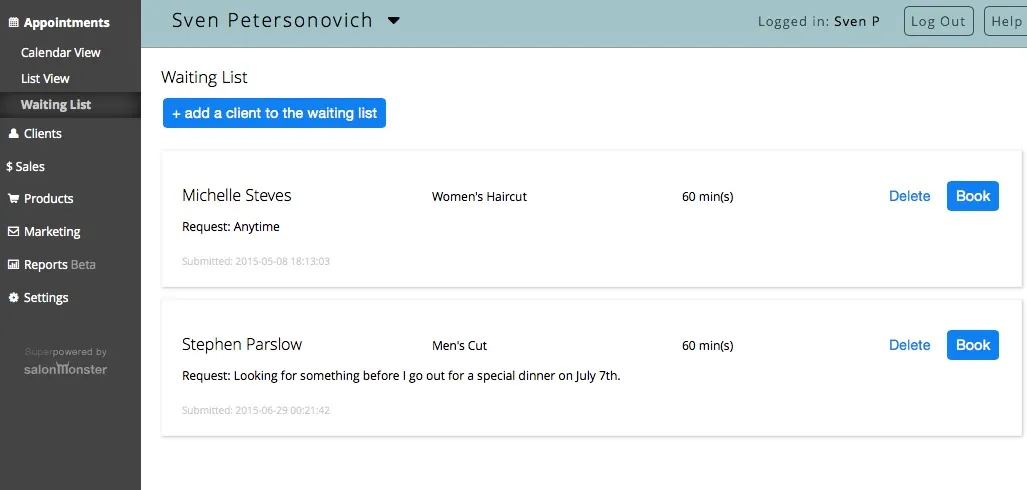
Access your waiting list by clicking on “Appointments” and then “Waiting List”.
This is where you can manage your list, add clients to the list, delete clients from it or book them into your calendar:
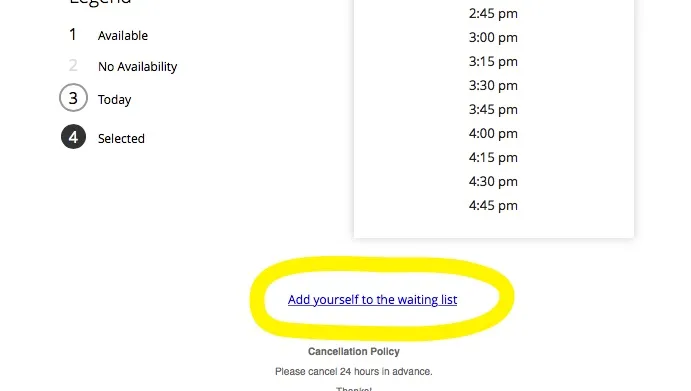
If you’d like you can allow clients to add themselves to your wait list and if they can’t find the time slot they’re looking for they can submit a wait list request directly to you.
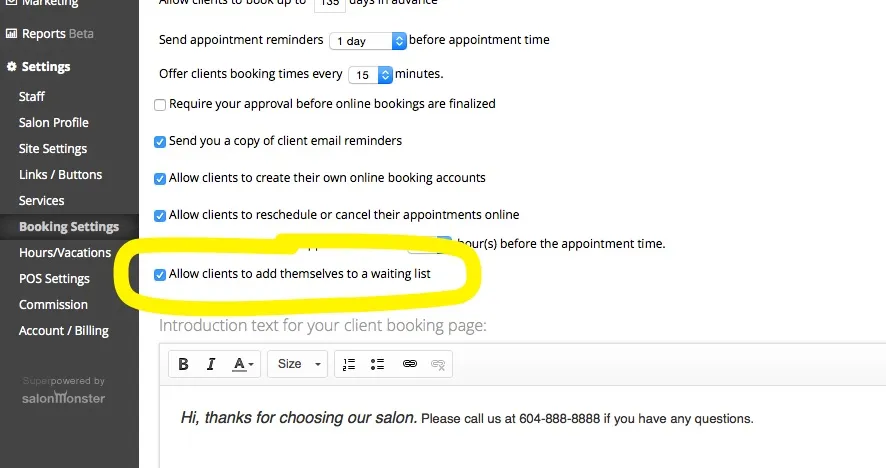
To enable client wait list access simply click on “Settings”, then “Booking Settings” and check the box beside “Allow clients to add themselves to a waiting list”:
We’ve put together a short video demonstrating the new waitlist.
https://www.youtube.com/watch?v=7G3eRAJDUbo
We hope you enjoy the new wait list. We always appreciate your feedback, contact us anytime at [email protected]
All our best,
the salonMonster team